By Scott Sumner | AI Findability | Published October 28, 2026
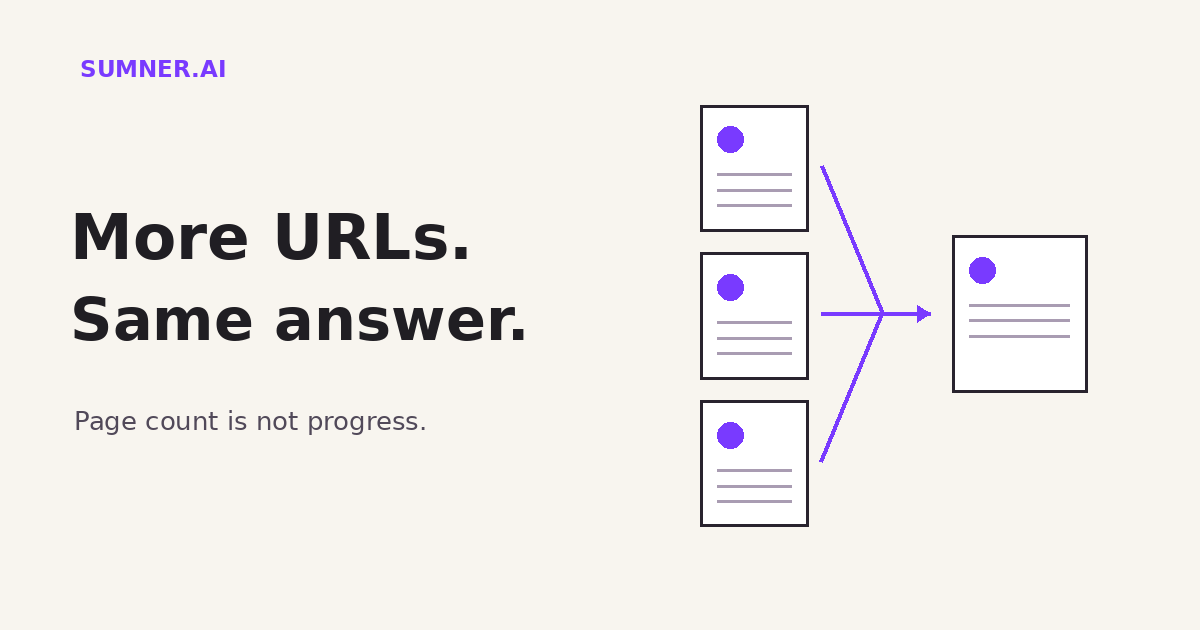
Duplicate URLs can make a website look bigger without giving customers anything new. Before paying to rewrite or expand those pages, find out whether they are different content or just different addresses for the same thing.
Answer: Duplicate URLs show the same or very similar content at different addresses. Google normally selects a representative URL, called the canonical. Use consistent links and canonical signals for copies; use redirects when an extra address no longer needs to serve a separate page.
This is not a reason to panic about a duplicate-content penalty. It is a reason to stop counting addresses as if each one were a separate marketing asset.
Jump ahead
- Why the page count can mislead you
- What Google does with copies
- Keep, consolidate or redirect?
- A small audit before a large rewrite
- Where AI helps, and where it does not
Why the page count can mislead you
Consider a fictional consultancy with one useful workshop page. The normal link is /workshops/. An email campaign adds ?utm_source=newsletter. An older campaign has a separate address that displays essentially the same workshop description.
That is not necessarily three useful answers for buyers. It may be one answer available at three addresses.
The campaign parameter can have a legitimate tracking job. The extra address might support an existing promotion. Neither fact means each version should compete as an independent search result.
I would ask what each page does for a buyer before approving an AI project to make every version sound different. A rewrite can create editing work without creating a useful distinction. You now have several descriptions to keep accurate whenever the workshop changes.
Page inventory and content inventory are not the same thing. Keep both, but do not confuse them in a progress report.
What Google does with duplicate pages
Google’s canonicalization documentation says some duplicate content is normal and is not a violation of its spam policies. When pages have the same or very similar main content, Google groups them and selects a representative version.
That selected address is the canonical URL. Google says it uses the canonical page as the main source for evaluating content and quality. The selected page is crawled more regularly, while duplicates are crawled less frequently.
This explains why an unindexed duplicate is not automatically a missing opportunity. If it repeats a page already represented in search, getting both indexed is not necessarily the right goal.
There is an important limit: the version you nominate is not a command Google must obey. Its consolidation guidance describes several ways to express a preference, including canonical annotations, redirects and sitemap inclusion. Google still makes the selection.
For a business owner, the useful question is whether the selected version is the right, working page for that content. Not whether every URL on a spreadsheet has its own search listing.
Should you keep the page, consolidate it or redirect it?
Keep a genuinely different page. A workshop for new managers and a workshop for experienced sales leaders may share a layout but serve different needs. Different audience, curriculum and buying questions can justify distinct pages. Similar templates alone do not settle the decision.
Keep necessary copies with consistent canonical signals. Sometimes several addresses need to remain usable. Your developer can identify the preferred representative and implement the appropriate canonical method. Visitors may still open the alternate address; a canonical annotation does not send their browser somewhere else.
Redirect a retired address when there is an appropriate replacement. If the extra page no longer has a job, a redirect can take people to the replacement instead of maintaining another copy. Check existing campaign links and integrations before making the change. A redirect is a user-facing routing decision as well as a search signal.
Do not nominate the homepage for every page. A service description and a homepage are not interchangeable merely because both belong to the same company. The representative must fit the duplicated content.
Google also advises against using robots.txt or its URL removal tool for canonicalization. And it does not recommend using noindex just to force selection of a canonical within the same site. These controls do different jobs. Ask for a targeted fix rather than switching on every exclusion setting.
If you are replacing URLs during a redesign, the related website redesign guide covers preserving valuable routes. Here, the first decision is which copies need to exist at all.
A small audit before a large rewrite
Start with one important service or resource. Have your web provider collect its known alternate addresses, including campaign versions and older copies. This is a read-only review, not permission to change live settings.
For each address, record what it displays, whether it redirects, the canonical it declares and whether it has a distinct business purpose. Then compare the preferred version with the links on your own site and the URLs in the sitemap.
Google recommends linking internally to the canonical URL rather than a duplicate and avoiding conflicting canonical choices across methods. If your navigation points to one version, your sitemap lists another and the page nominates a third, resolve the disagreement before commissioning more copy.
Ask the provider to use Search Console’s URL inspection information to compare your declared preference with Google’s selected version where that information is available. Keep the live-page check separate from Google’s stored view; changes need to be crawled and processed.
A useful deliverable is a short decision list: retain as distinct, retain as alternate, or retire with a suitable destination. Include the reason. A spreadsheet full of red warning labels is not a decision.
Do not delete tracking parameters across the site as a shortcut. Establish what each parameter controls. Some record a campaign; others change the actual content or application behavior. Similar-looking addresses can do different work.
Where AI helps, and where it does not
AI can help compare approved page exports, group similar descriptions and highlight differences for review. Give it the actual text and URLs. Do not ask it to infer what every page contains from a list of addresses alone.
A practical instruction is: “Group these pages by main content. For each proposed group, quote the shared material, identify meaningful differences and list what a person must check before consolidating anything. Do not recommend deletion based only on similar titles.”
The output is a set of candidates. It is not authority to edit redirects or canonical settings. Someone still needs to understand campaign use, customer expectations and the site’s technical behavior.
AI should reduce comparison work, not manufacture a new page for each variation. If two pages answer different buying questions, strengthen that difference. If they answer the same question, decide which version should represent the answer.
This is basic website organization within AI Findability, not a promise of AI recommendations. Google’s canonical documentation describes Google Search. It does not establish that every AI answer engine handles duplicates the same way.
What to do next
Pick one valuable service page. Ask your provider which URL represents it, which copies exist and whether your internal links agree with that choice.
If you need a prioritized review rather than another automated warning list, the Website Findability Audit is the starting point. The goal is to make the right content easier to find and maintain, not to make the page count impressive.
Sources
- Google Search Central: What is canonicalization, duplicate grouping and selection of a representative page.
- Google Search Central: How to specify a canonical URL, implementation choices and common mistakes.
Sources checked October 28, 2026. The consultancy example is fictional. The audit workflow is Scott Sumner’s recommendation, not a new Google requirement.