By Scott Sumner | AI Findability | Published October 26, 2026
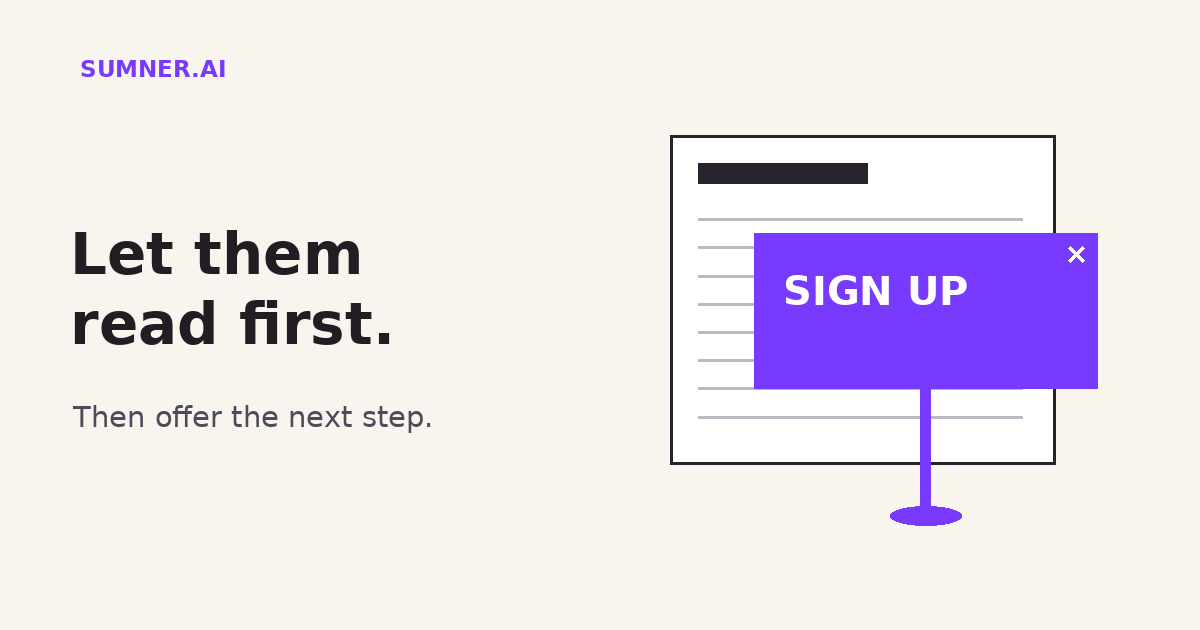
Website popups can interrupt the very visit your marketing worked to earn. Before adding another signup prompt, check whether a new visitor can read the answer they came for.
Answer: Keep the main content accessible when visitors arrive. Use small, unobtrusive banners or relevant inline offers instead of promotional overlays that block the page. Evaluate the whole customer task, not just the popup’s signup count.
You can still ask for the next step. The question is whether you have given someone a reason to take it.
Jump ahead
- What happens before the first paragraph?
- What Google actually recommends
- Put the offer beside the useful answer
- Review the first visit, not your usual view
- Measure more than email capture
What happens before the first paragraph?
Imagine a business owner opening a consulting article on their phone. They want to understand how a project works. Before they reach the explanation, a newsletter prompt covers it. A chat invitation opens in the corner. A sticky promotion takes another strip of the screen.
This is a fictional example, not a finding from a client audit. But it illustrates a problem worth checking: each tool can look reasonable in isolation while the combined page becomes difficult to use.
The newsletter team wants subscribers. The chat tool wants conversations. The promotion wants bookings. The visitor wants to read.
My view is simple: the visitor’s task should get the first turn. An interruption is not automatically helpful because it contains an attractive offer.
This matters whether the person arrived from Google, an AI answer, a referral or a saved link. Getting found is only the start of AI Findability. The page still has to deliver something useful after the click.
What Google actually recommends about popups
Google’s guidance on intrusive interstitials and dialogs describes overlays that obstruct the user’s view of content, usually for promotional purposes. It recommends allowing people to access content without being interrupted.
Its practical alternative is a banner that occupies only a small fraction of the screen. That lets visitors and search engines get to the content when they land.
This is not a claim that every popup causes a ranking penalty, nor that removing one will produce a ranking increase. The useful instruction is about access to content. Do not turn it into a made-up SEO score.
Google treats mandatory interstitials separately and exempts them from the promotional guidelines in that document. Do not remove required consent or age-verification controls because a marketing article told you to remove popups. Have the responsible team establish which controls are required, then make the implementation usable.
Google also warns against redirecting every incoming URL to one page to collect consent or information. If Googlebot can fetch only that page, the underlying URLs cannot be understood in the same way. This is a technical implementation question for your web team, not a reason to improvise changes to a live consent system.
Put the offer beside the useful answer
A promotional offer does not have to disappear. It can move to a place where it makes sense.
For a service article, let the reader understand the problem, see an example and then encounter the next step. An inline invitation after a useful section does not have to cover the paragraph the person is reading.
Consider a fictional guide about choosing a website provider. An immediate overlay saying “Join our newsletter” asks for information before delivering much value. An inline offer after the comparison section could say: “Want to use these questions on your next provider call? Get the printable worksheet.”
That example assumes the worksheet exists and is worth receiving. Do not invent a resource, add an unnecessary form, or hide the article’s basic answer just to create a lead magnet.
Keep the public explanation useful on its own. The download can make the task easier without being the only place the answer exists. This is the same distinction discussed in giving buyers a page, not just a file.
For a service page, a visible contact option may be enough. Someone who has decided to ask a question should not have to wait for a popup timer. Someone who has not decided should be able to keep reading.
Review the first visit, not your usual view
Your everyday browser may remember that you dismissed a promotion last week. That can make the site look calmer to you than it does to a first-time visitor.
Use a fresh browser session on a phone to inspect one important landing page. This is a practical test recommendation, not a guarantee that the session reproduces every targeting rule. Location, campaign, consent state and device settings can change what appears.
Record what appears on arrival, after a short wait and while scrolling. Can you read the answer? Is the offer easy to dismiss? Does dismissing one message expose another? Can you reach the contact button without moving floating elements out of the way?
Also test the route from a relevant external link, not just the homepage. A campaign or referral parameter may change which promotion appears.
Give the team a short recording and the exact page address. “The chat invitation covers the form’s submit button on this phone” is a better repair request than “the website feels busy.”
If AI helps review the recording or organize your observations, keep it in that role. Ask it to list the interruptions visible in the evidence. Do not treat a generated critique of one screenshot as proof of how the page behaves over time.
Measure more than email capture
A popup dashboard can tell you that visitors submitted the form. That does not, by itself, tell you whether the overall visit became more useful.
For a service business, compare the change with the outcome you actually want: suitable inquiries, completed bookings or people reaching the information needed to make a decision. Define that outcome before moving the offer.
If you run an experiment, compare equivalent traffic and record other changes that might affect the result. Small samples and a different campaign mix can make a before-and-after comparison misleading. Do not declare a winner from a few signups.
There is no universal timing rule in this recommendation. “Wait ten seconds” is not a substitute for understanding what the person is doing. A delayed full-screen interruption can still interrupt.
I would start with one high-value landing page and one unnecessary promotional obstruction. Move that offer into the page, keep the underlying information intact and review the customer task again.
Give the visit a fair chance
Open your most important service article as a first-time mobile visitor. Before reading it, count the promotional decisions the page asks you to make. Then ask which of those decisions actually helps someone understand the service.
If you need help prioritizing the issues between arrival and inquiry, a website findability audit can connect the visibility question with the buying experience. The aim is not a website with no calls to action. It is a website where the next step follows a useful answer.
Sources
- Google Search Central: Avoid intrusive interstitials and dialogs, covering promotional obstructions, small banners, mandatory interstitials and redirect mistakes.
Source checked October 26, 2026. Examples are fictional. Offer placement, testing and measurement recommendations are Scott Sumner’s analysis, not a newly announced Google policy.