By Scott Sumner | AI Findability | Published September 26, 2026
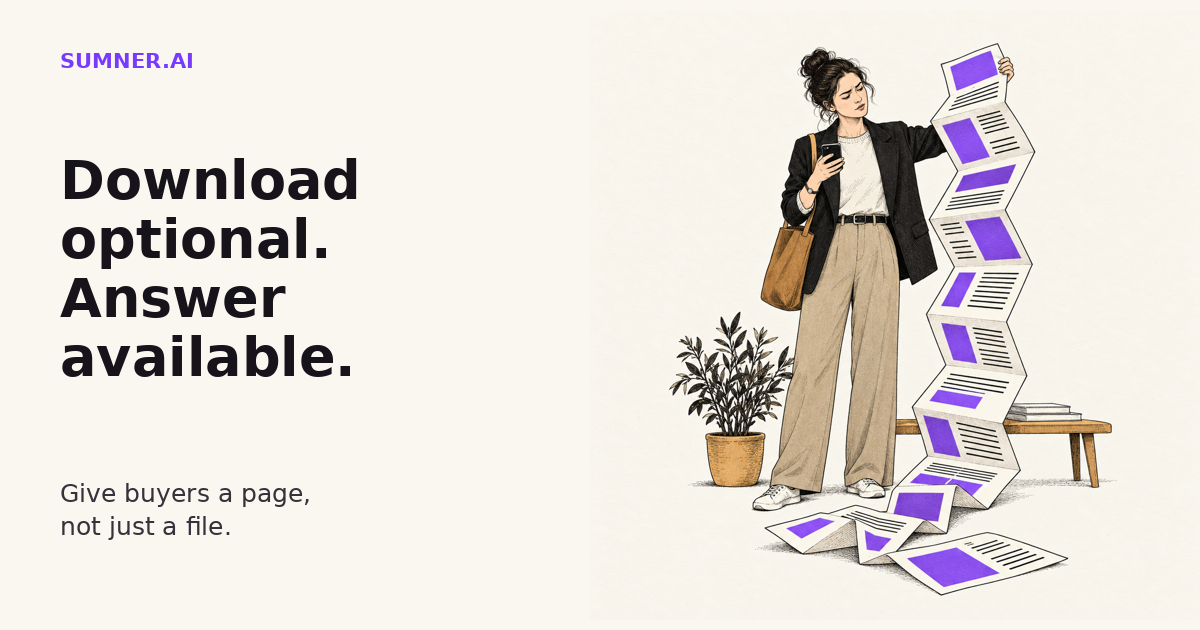
Your best explanation should not require a download. When a service brochure is the only place buyers can find the details, a polished document can become an awkward front door.
Answer: PDFs can appear in Google Search. But for service information buyers need to read, navigate and act on, a well-built HTML page is usually the better primary format. Keep a PDF when it serves a real download, print or sharing need, not as the only explanation.
This is not a call to delete your brochures. It is a reason to give the website a proper version of the information people need before contacting you.
Can Google index a PDF?
Yes. Google’s list of indexable file types explicitly includes Adobe PDF. It also includes HTML and several other document formats. The claim that a PDF is automatically invisible to search is wrong.
Supported format does not mean guaranteed indexing, ranking or recommendations. It means the format itself is not disqualified. The actual file still needs to be accessible to the relevant crawler and contain useful information it can process.
That distinction matters because it keeps the decision honest. You do not need to frighten a business owner with an invented Google penalty to explain why their service details belong on a web page.
My preference for HTML is about the whole visit: reading the answer, following a relevant link and taking the next step. Search visibility gets someone to the content. It does not finish the job.
What happens after the buyer opens it?
Consider a fictional consultancy whose service page says little more than “Download our capabilities brochure.” A prospective customer opens the document on a phone. The description they need sits inside a two-column layout designed for a printed sheet.
Now they are zooming, dragging and trying to work out which line belongs to which column. To ask a question, they may have to return to the website or find a contact link inside the file.
A PDF can contain working links and accessible structure. A web page can be badly built. This is not a contest in which one file extension automatically wins.
But the layout should fit the task. A buyer trying to check whether you provide a service needs a readable answer, not a miniature printed brochure.
GOV.UK’s accessible-document guidance, updated October 9, 2025, favors HTML and warns that non-HTML documents can be harder to find, use and maintain. It also discusses problems with assistive technology and the importance of structure and reading order.
That guidance is written for government publishing. I am using its practical format lessons here, not applying UK public-sector legal requirements to every business website.
When to use HTML and when to keep a PDF
Make HTML the primary version when the content helps someone understand or choose your business. Service explanations, public case studies, onboarding guidance and frequently consulted instructions are good candidates. Readers should be able to use those pages without downloading a separate file.
Keep a PDF when the file itself has a useful job. A printable workshop worksheet, a fixed-layout handout or a document someone needs to take into a meeting can justify a download. An optional brochure can still be convenient for an internal buying discussion.
The useful distinction is not “PDF bad.” It is “download optional.”
For example, a case-study page can explain the client situation, the work and the supported results. A PDF version can help a prospect share that same evidence with colleagues. The website should not withhold the essential explanation just to make the download feel necessary.
This fits the broader AI Findability job: make your business easier to find, understand and evaluate. It is not a promise that changing the format will make an AI system recommend you.
How to turn a brochure into a useful page
Do not simply paste the document into the CMS. A brochure often follows a presentation sequence: cover, company introduction, capabilities, proof, contact information. A web visitor may arrive with one narrow question.
- Choose the question the page should answer. “Do you handle WordPress maintenance for a site with online bookings?” is a more useful starting point than “How do we put this brochure online?”
- Move the answer near the top. State what the service covers, who it suits and the main limitation. Keep the relevant evidence close to the claim it supports.
- Turn the remaining content into descriptive sections. Use actual headings, readable paragraphs and meaningful links. Do not replace the document with screenshots of its pages.
- Put the next action beside the explanation. Link to the relevant inquiry path or another page that resolves the next buying question. The visitor should not have to return to the homepage to continue.
- Label the optional download clearly. Tell people that the link opens a PDF. Include its actual size when useful, rather than disguising a file download as ordinary site navigation.
- Decide how the two versions will stay consistent. Name the primary source and include the companion PDF in the review process. Two contradictory explanations are worse than one.
Preserve real qualifications while restructuring. “Response within one business day” must not become “resolution within one business day.” Moving the wording to a web page does not authorize a better-sounding promise.
Where AI can help with the conversion
AI is useful for proposing a page outline, extracting repeated questions and spotting places where the document assumes knowledge the reader may not have.
I would give it the original editable document where available, the intended audience and the page’s job. Then ask for a draft with a traceable connection to the source, not a more impressive version of the business.
Turn this approved service document into a web-page draft for prospective customers. Answer the main buying question first. Preserve all scope limits, conditions, names and numbers. Do not invent outcomes or promises. Identify the source section for each proposed section. Flag any ambiguity for review. List anything you omitted and why.
Compare the draft against the original before publishing. Check tables, captions and side notes in particular. Information that looked secondary in the layout may contain the condition that makes the claim accurate.
And do not confuse an AI tool’s ability to read an uploaded PDF with what every search product can fetch and use on the public web. Those are different workflows. Neither HTML nor PDF guarantees an AI citation.
Check one document before converting the library
Start with the brochure your team sends most often. On a phone, try to find one service detail, read its conditions and reach the correct contact route. Then repeat that task on the proposed web page.
Check the published page’s heading structure, keyboard navigation, links and mobile layout. If you retain the PDF, check its accessibility separately. GOV.UK recommends using the source document’s accessibility checker before conversion and checking the resulting PDF too. An automated pass is useful, but it does not replace checking how someone actually reads the content.
The aim is a better answer, not a larger page count. Converting every old brochure is unnecessary if most of them no longer serve a reader.
If important service information is scattered across documents and thin pages, a website findability audit can identify which explanations belong on the site and what needs to change around them. The practical first step is smaller: give one frequently used document a useful web version.
Sources
- Google Search Central: File types indexable by Google. Checked September 26, 2026. Confirms that PDF is a supported format, not that any particular file will be indexed.
- GOV.UK: Publishing accessible documents. Updated October 9, 2025; checked September 26, 2026. Government publishing guidance informing the format and accessibility recommendations above.