By Scott Sumner | AI Findability | Published September 28, 2026
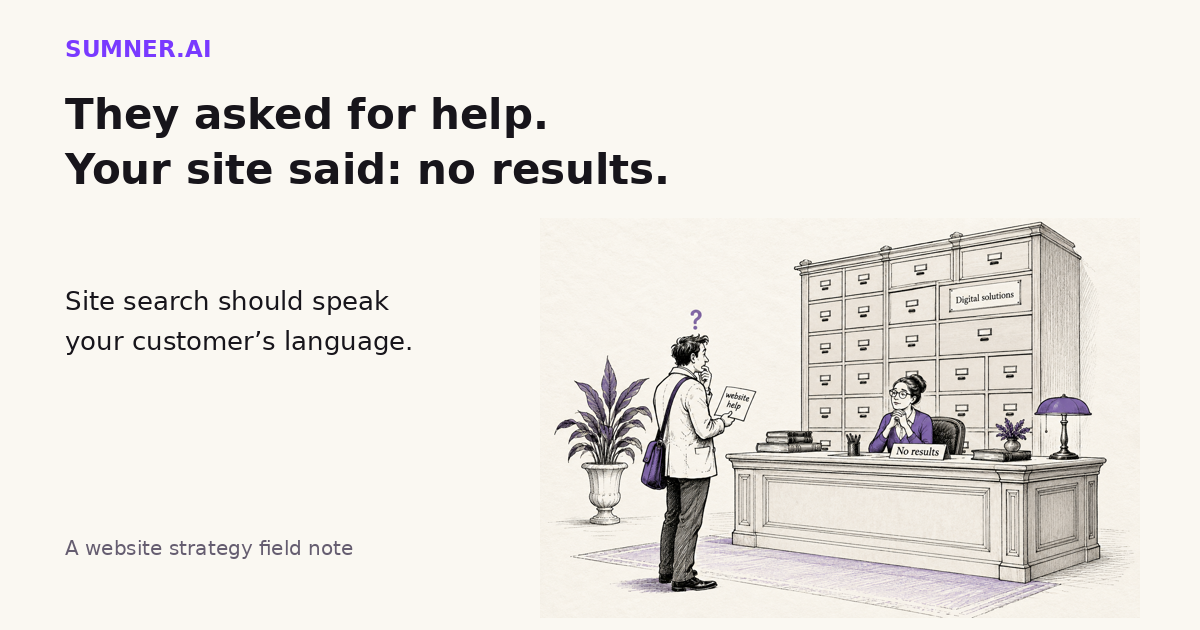
Site search can miss the service a buyer wants even when you offer it. Review the failed searches before buying a smarter search tool.
Answer: Improve site search by testing customer language, checking that relevant pages appear, and giving visitors a useful route when nothing matches. Use search data to find failures, not to assume every query needs a new page or an AI chatbot.
A search box is a small promise: tell us what you need and we will help you find it. When the answer is only “No results,” the visitor has to solve your website’s vocabulary problem.
Jump ahead
- When your website does not speak customer
- What your search report actually measures
- A practical search test
- Where AI can help
- Fix one dead end first
When your website does not speak customer
Imagine a business owner searching an agency website for “website help.” The agency sells exactly that, but calls the service “digital experience management.” Its search cannot connect the two phrases.
This is a hypothetical example, not a client result. The point is that a failed search can reflect a language mismatch rather than a missing service.
Other failures have different causes. A useful page might be excluded from the search index. An old announcement might outrank the current service page. A filter might hide the only relevant result. And sometimes the visitor wants something you genuinely do not provide.
Those are different problems. Rewriting every page or installing a chatbot is an expensive way to avoid finding out which one you have.
Baymard’s research on no-results pages, updated February 18, 2025, describes how dead ends interrupt product-finding journeys. Its testing supports offering meaningful alternatives, related categories and access to help rather than relying on spelling tips alone.
That research concerns ecommerce. It does not establish a conversion uplift for a consultancy or agency website. My recommendation for service businesses is narrower: do not make an unsuccessful search the end of the conversation.
A relevant service category and a clear way to ask a question can be useful alternatives. A random collection of popular blog posts is not necessarily helpful just because it fills the empty space.
What your search report actually measures
If your site uses GA4, Google’s enhanced measurement documentation explains the automatic view_search_results event. It detects a results page through URL query parameters. The defaults include q, s, search, query and keyword. The search_term parameter supplies the search wording.
That is a useful starting point, not proof that every search interface is being measured. A search overlay that updates without a matching URL parameter needs its implementation checked. So does a site using a different parameter name. Have the person responsible for analytics verify the event with a controlled test.
There is another distinction worth keeping: a results-page event does not tell you whether the results were useful. Google’s documented default parameters do not include a result count.
To identify zero-result searches reliably, you may need a search platform report or separately implemented result-count measurement. To understand successful searches, inspect what appeared and whether the visitor could continue to a relevant page. Do not label every recorded search a success.
Nor is a search count a count of buyers. Repeated attempts, staff tests and automated activity can distort the picture. A small site’s report is a set of clues to investigate, not a statistically complete picture of demand.
Check privacy before collecting the wording
Search fields accept whatever people type, including personal details. Google’s PII guidance specifically warns about information entered into search boxes and about personal information in URLs and page titles.
Check how your implementation prevents that information from reaching analytics. Removing names from a later spreadsheet does not undo sending them in the first place. Do not send raw search logs to an AI tool without reviewing the data and your approved handling rules.
A practical search test for a service business
Start with five phrases a prospect would plausibly use. Choose them from real, appropriately handled inquiries or from your sales team’s language. If these are staff-generated guesses rather than recorded searches, label them that way.
Include the plain-English service name, a common problem, a pricing question, a support question and something you do not offer. The last one matters. A good search experience should be honest about an unavailable service.
Run each search on a phone and record the query, the first useful result, any misleading result and the available next step. Keep the exact wording so someone else can repeat the test.
- The answer exists but does not appear: investigate indexing, search configuration and vocabulary.
- The answer appears but is buried: review ordering, stale content and whether the result title makes sense.
- The answer does not exist: decide whether a useful explanation belongs on the website.
- The request is outside your offer: say so where appropriate and provide an honest route to help. Do not imply you sell it.
Keep the visitor’s query visible and editable. If you suggest a broader search, make the change clear. Do not quietly turn “emergency support” into ordinary support and present the result as though the original request was satisfied.
For a very small brochure site, clearer navigation may solve more than adding search. This is not a recommendation to put a search box on every website. It is a recommendation to test the promise if you already have one.
Where AI can help without becoming the new search engine
I would use AI to compare the words customers use with the labels on the site before asking it to answer customers directly.
Give it a sanitized set of queries and a reviewed list of public page titles, URLs and short descriptions. Ask for possible matches and unresolved gaps. Require it to choose only from the supplied pages.
Compare these search phrases with the supplied page list. For each phrase, suggest an existing destination or mark it “no supported match.” Preserve qualifiers such as emergency, weekend and fixed price. Explain uncertain matches. Do not invent URLs, services or customer demand. Return proposed changes for review, not production settings.
This is a proposed editorial workflow, not a claim that AI will classify every query correctly. A person who knows the offer still needs to check the matches.
One important boundary: “website maintenance” and “website redesign” may be related, but they are not interchangeable. Automatically treating every related phrase as a synonym can create more confident wrong results.
AI-generated sample queries can broaden a test, but keep them separate from observed customer searches. Otherwise a report about what buyers asked becomes a report about what the model imagined.
Fix one dead end first
Pick one failed query whose intended destination is clear. Improve the match or the fallback, then repeat the same test. Save what appeared before and after. That is evidence of a working fix, even before you have enough traffic to assess a commercial effect.
Getting discovered through Google or AI search and finding the right answer after arrival are separate jobs. Both belong in an AI Findability review. An AI recommendation cannot compensate for a website that loses the visitor once they arrive.
If you want help checking that path, the Website Findability Audit is a practical starting point. Bring the site and one search that fails, not a wish list of new tools.
One thing to do today: search your own site using the phrase a customer used in their last inquiry. See whether your website knows what they mean.
Sources
- Baymard Institute: Search UX and no-results pages. Updated February 18, 2025. Ecommerce evidence; service-business applications above are recommendations.
- Google Analytics: Enhanced measurement events. Official documentation checked September 28, 2026.
- Google Analytics: Best practices to avoid sending PII. Official guidance checked September 28, 2026.