By Scott Sumner | AI Findability | Published October 15, 2026
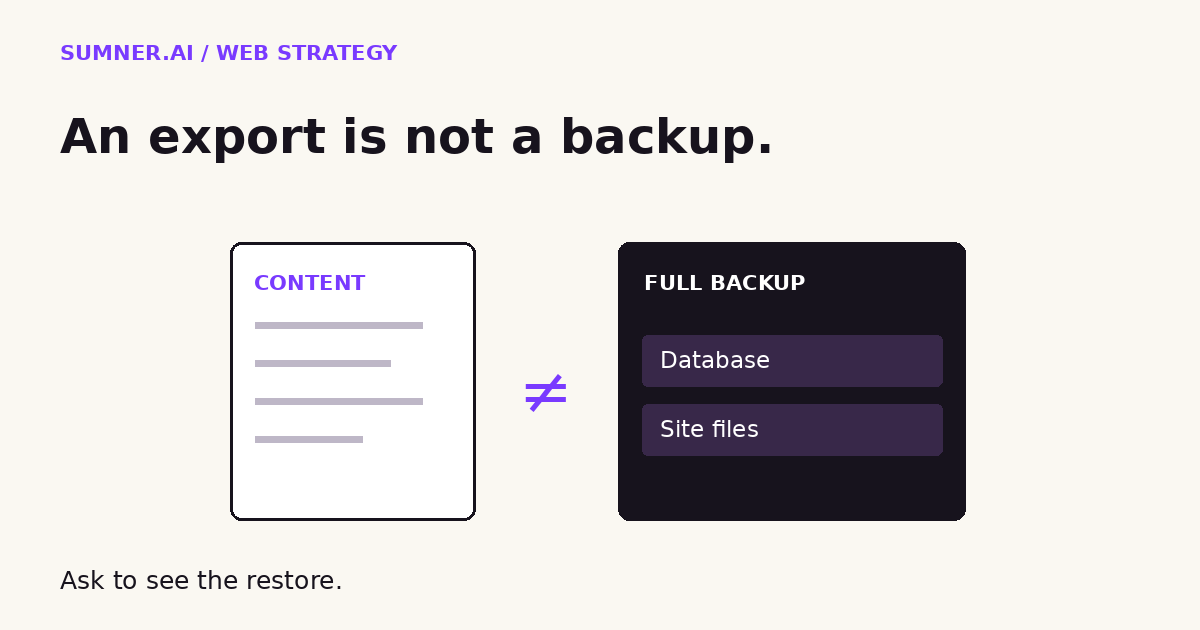
A WordPress export can preserve your articles without preserving the website that turns them into inquiries. Before changing hosts, cancelling a service or approving an AI-assisted rebuild, check what your recovery copy actually contains.
Answer: A standard WordPress Tools Export file is a content export, not a complete website backup. Full recovery normally needs both the database and site files, plus the configuration and access needed to run them. Test a restore before relying on the copy.
The difference matters most when the original site is no longer available. That is a bad time to discover that your download contains references to images rather than the images themselves.
Jump ahead
- What a WordPress export contains
- What a full backup needs
- How to check recovery safely
- What to request before a handover
- Where AI can help
What a WordPress export contains
The label “All content” sounds reassuring. It does not mean “everything required to recreate this website.”
The WordPress Tools Export documentation describes an XML file, also called a WXR file. It carries content such as posts, pages, comments, custom fields, categories and tags. You can import that data into another WordPress installation.
That is useful. It is not the same as copying the complete installation.
WordPress.com’s export guide makes the distinction particularly clear for its hosted service: the content export does not include theme design, customizations or plugins. It contains links to media files, not the actual media files. Its instructions warn against deleting or making the original site private before the new site has copied those images.
WordPress.com and a separately hosted WordPress installation are not identical services. Check the actual tool you are using. A host’s full-site backup, a migration package and the standard Tools Export download can contain very different things, even when all three arrive as downloadable files.
Consider a hypothetical consultancy moving its website. The team has downloaded its articles, so it cancels the old hosting. Later, the importer tries to retrieve the article photographs from the old addresses. Those files are no longer there.
The text survived. The complete publication did not.
What a full WordPress backup needs
The WordPress backup handbook identifies two parts: the database and the files. It says both are needed to fully restore a typical WordPress site.
The database holds much of the site’s content and configuration. Files include uploaded media, themes, plugins and other material used by the installation. A database copy alone does not recreate a missing photograph or custom theme file. A folder of files alone does not recreate the database records.
Ask your provider to describe the package in plain language. What is included? What is excluded? Which date does it represent? How is it restored?
Then ask about the things outside that package. A website can depend on a domain account, DNS settings, paid licenses, an email service, a booking platform or API credentials. A website backup does not automatically back up every connected service or grant access to those accounts.
This is not a recommendation to collect passwords in a shared document. Record the account owner, authorized recovery route and secure location of credentials. Use appropriate access controls.
For a simple brochure site, a daily copy might fit the business’s tolerance for lost edits. A site taking frequent orders or bookings needs a different conversation. The right question is how much recent business activity you could afford to lose, not whether the backup dashboard has a green icon.
Also distinguish backup frequency from retention. A new copy every day is one promise. Being able to recover a version from before a problem began is another.
How to check recovery without touching the live site
I would ask for evidence of a restore, not just a screenshot of a successful backup job.
Have the responsible provider restore a recent copy into a separate, access-controlled test environment. Do not overwrite production to find out whether the backup works. Protect customer data in the test copy, and disable outgoing customer emails, live payment actions and automated integrations before testing.
A restored site can trigger real consequences if it still carries working connections. The test environment needs its own safeguards.
Once it is isolated, check more than the homepage:
- Open a service page and an older article. Confirm text, layout and images load.
- Check a representative download and any custom content types the business relies on.
- Verify that the team can sign in with an approved test account.
- Exercise an inquiry or booking path using test destinations and sandbox services.
- Record missing dependencies, elapsed recovery time and the date of the data recovered.
These are starting checks, not a certification that every part of the business has recovered. An online shop, membership site or heavily customized system needs tests for its own critical records and actions.
If the homepage looks right but the booking connection is missing, call that a partially restored site. Accurate wording helps the owner decide what still needs work.
What to request before changing providers
A handover should leave the business able to continue operating, not merely holding a file with a comforting name.
Request a dated inventory covering the recovery package, its storage location, authorized access, restore instructions, known exclusions and the connected services needed after restoration. Have the incoming provider confirm it can use the package before the outgoing service is cancelled.
For content migrations, keep the source available until media transfer has been verified. Do not make confidential material public simply to help an importer; have the provider use an appropriate authenticated transfer method.
Keep URL preservation in the handover too. Recovering pages does not prove that existing links still reach the right place. Our website redesign SEO guide explains why valuable addresses need a deliberate plan.
And a recovered form needs a delivery check. Follow a test inquiry through to the receiving team rather than stopping at the success message.
Where AI helps, and where it cannot provide proof
AI can turn a provider’s backup description into a useful list of questions. Give it the non-sensitive service documentation and ask it to separate included data, exclusions, retention and restore requirements.
It can also organize test notes into a handover checklist. That is practical administrative help.
But an assistant reading a file list cannot establish that the website will run after restoration. It has not loaded the pages, checked the database or exercised the integrations. Ask it to mark unknowns, not fill them with reassurance.
Do not upload a production database or backup archive to a general-purpose chatbot just to ask whether it looks complete. Those files may contain personal data, secrets or private business records.
The useful outcome is a recoverable business asset. A faster rebuild is welcome, but it does not make the original content, files and account access disposable.
Start here: ask your provider to identify the most recent full restore test and what remained broken afterward. If you need help reviewing the website side of a handover, contact Sumner Digital through Sumner.ai with the platform and the planned change. Do not send credentials or backup files in the inquiry.
Sources
Official documentation checked October 15, 2026. This is evergreen website-operations guidance, not a new WordPress announcement.